How to add a wrist menu in VR
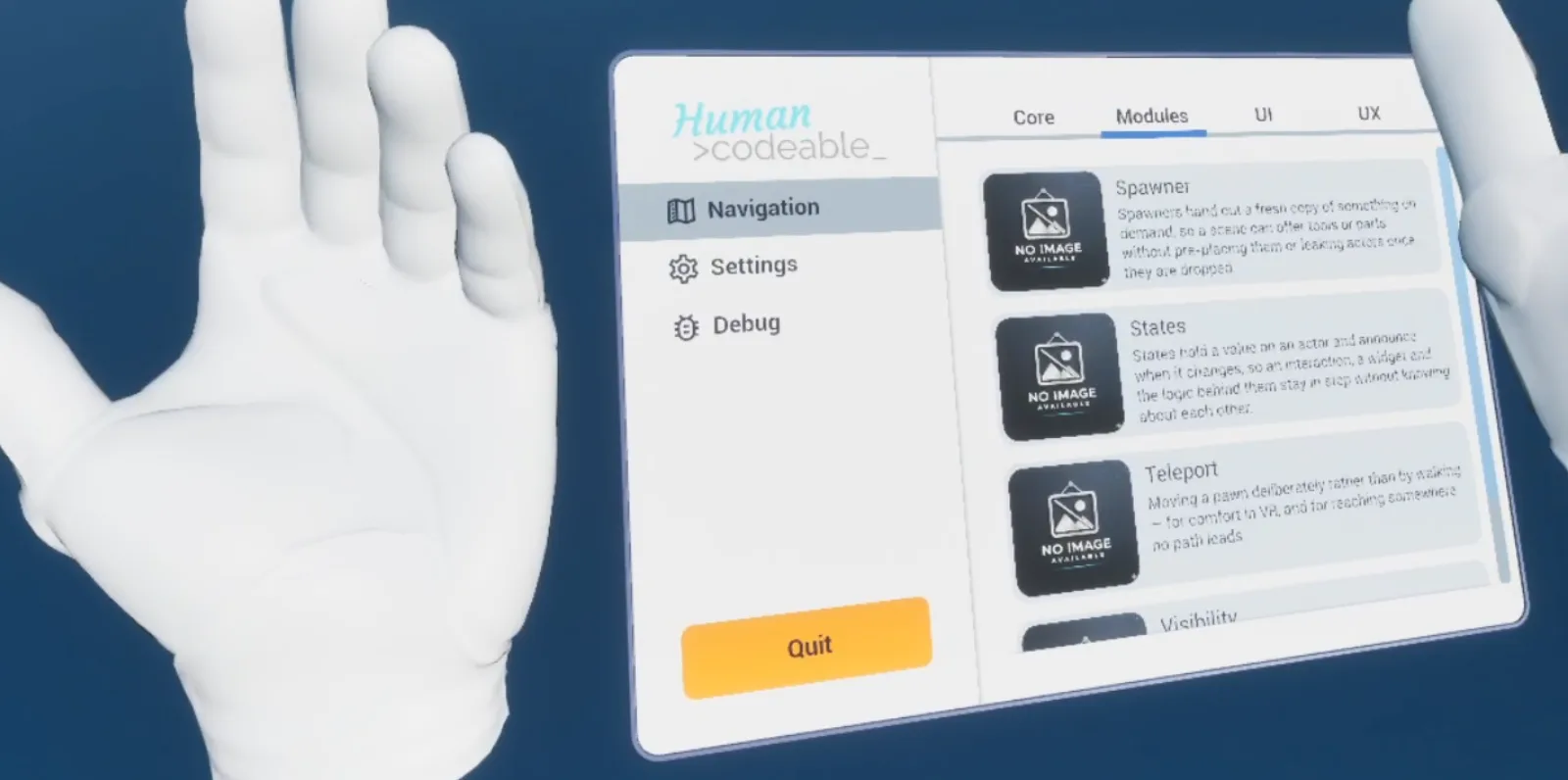
Advanced Framework Pro puts a panel on the player's wrist with one component, BPC_ControllerAbility_HandUI, on a motion controller. The panel appears when the palm turns toward the face and hides when it turns away, like a watch, with no button to press. By the end of this you will have a glanceable wrist panel with your own widget.
At a glance
VR pawn › one motion controller (usually the non-dominant hand)
└─ BPC_ControllerAbility_HandUI   Widget VR = your WBP_Base widget, Appear Angle = 40°
Shows while the palm faces the head. VR only.
Steps
- Create a widget deriving from
WBP_Basewith the panel's content. Keep it small: status, a clock, a few toggles. - Open your VR pawn and add
BPC_ControllerAbility_HandUIto one motion controller, usually the non-dominant hand. - Set Widget VR to your widget class.
- Leave Appear Angle at 40° and adjust only if the panel is hard to summon or appears by accident.
Notes
Anything that needs sustained attention belongs in pawn UI or the menu; see How to make UI follow the player in VR and How to add a page to the menu. The wrist is for a glance.
The wrist panel is VR only. On desktop and mobile show the same information on the HUD or in the menu.
The panel never appears? The palm normal of the hand mesh is not where the component expects it. Widen Appear Angle to confirm, then check the hand mesh's axes.
Map_Examples_HandUI shows the wrist panel.