Home › Workflows › Add a teleport area
Add a teleport area
By the end of this you will have a region the player can teleport onto.
Steps
- Place a
BP_TeleportArea_Defaultactor in the level and scale it to cover the walkable region. - For a fixed destination such as a chair, place a
BP_TeleportLocation_Defaultinstead. - Confirm the pawn has a
BPC_ControllerAbility_Teleporton its motion controllers and aBPC_PawnAbility_Teleport_Characteron the pawn.
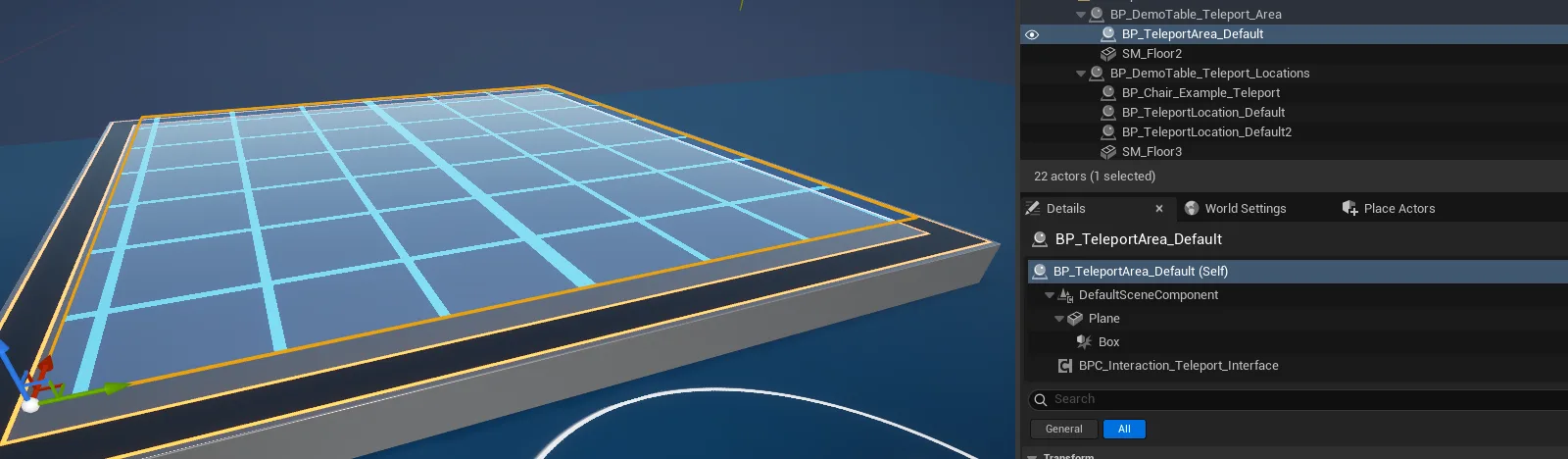
howto_teleportarea_01.pngA teleport area placed in the level
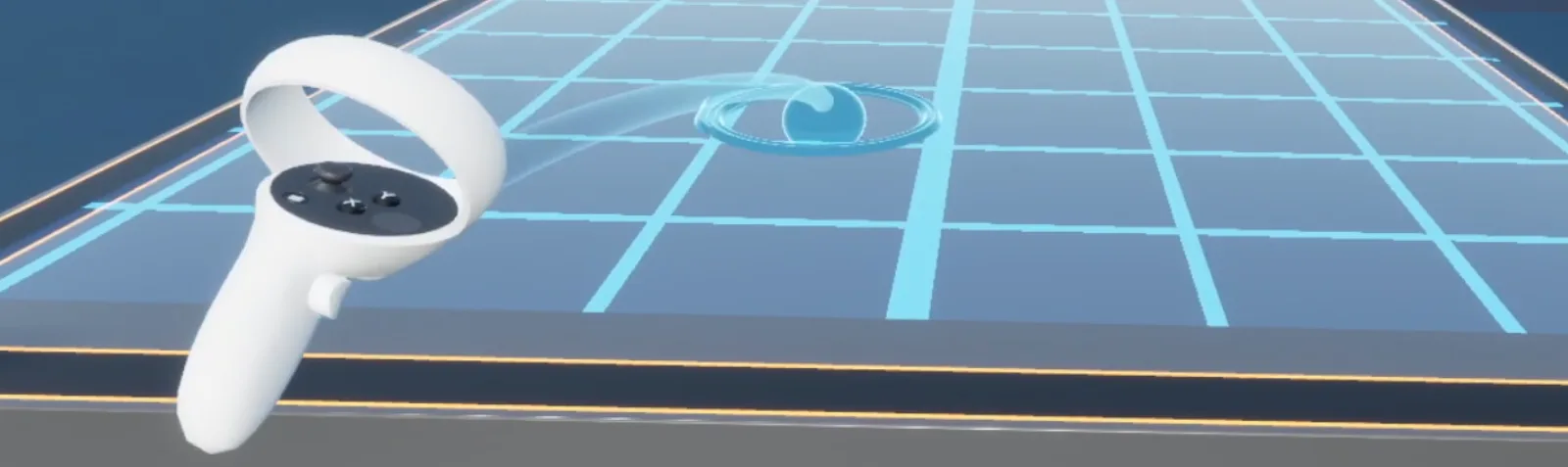
AFS_UX_Teleporter_result.pngThe teleport arc and landing indicator on a valid target
Notes
Use BP_TeleportArea_Select and BP_TeleportLocation_Select when the destination should also be
selectable by laser or click rather than only by the teleport arc.
Implement Interface_TeleportLocation on your own actor to make it a valid destination without
using the shipped classes.