Add a setting
By the end of this you will have a new entry on a settings page, reading and writing a value of your own.
Steps
- Pick the base class matching your value type:
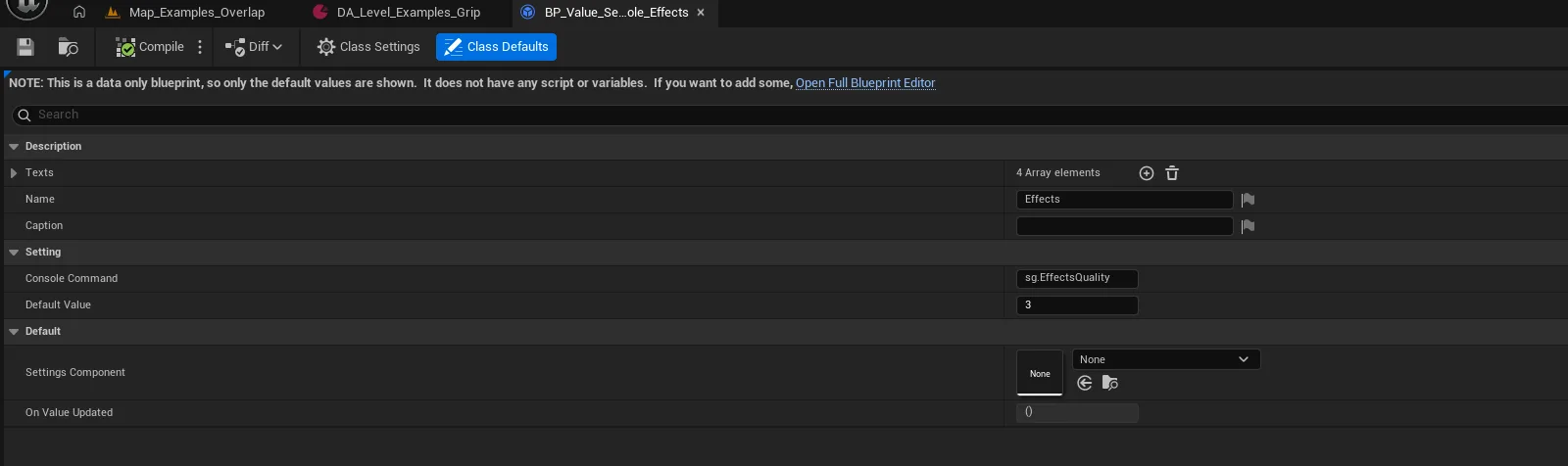
BP_Value_Settings_Bool,_Float,_Integer,_Name, or one of the console-variable variants such asBP_Value_Settings_Integer_Console. - Create a Blueprint deriving from it, in your own project content.
- Set Name and Caption — these become the label and helper text on the row.
- For a console-variable setting, set the console variable name and the value mapping.
- Open the settings page the entry belongs on:
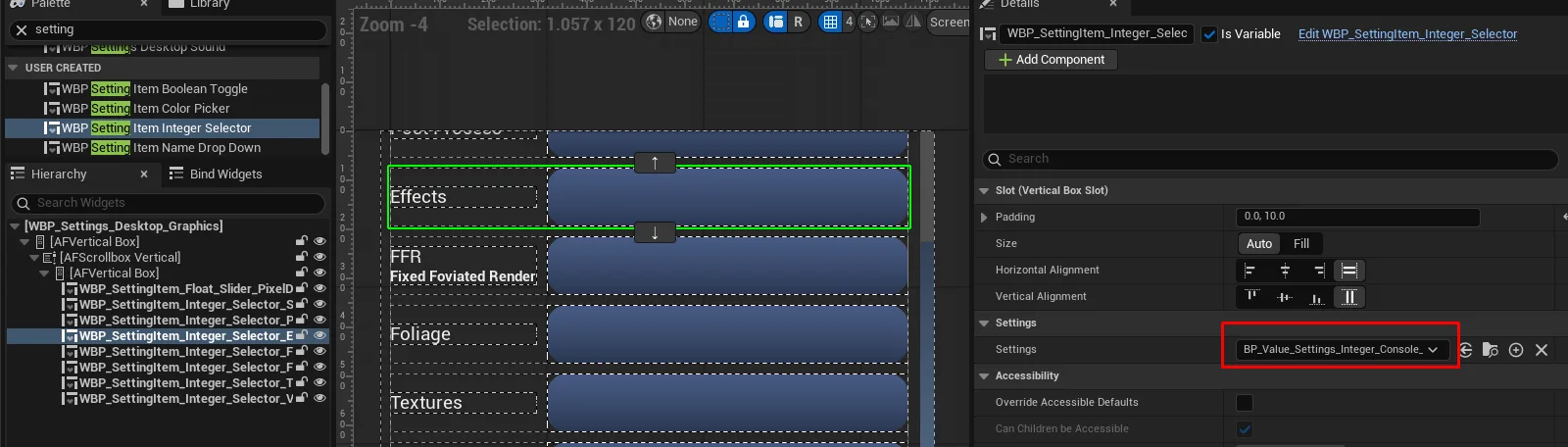
WBP_Settings_Desktop_Graphics,WBP_Settings_Desktop_SoundorWBP_Settings_Desktop_Gameplay. - Add the row widget matching your value type —
WBP_SettingItem_Boolean_Toggle,WBP_SettingItem_Float_Slider,WBP_SettingItem_Integer_Selector,WBP_SettingItem_Name_DropDownorWBP_SettingItem_Color_Picker— and place it in the page's vertical box alongside the existing rows. - Select the row and set its Settings class to the Blueprint from step 2. This is the step that connects the two: leave it unset and the row has nothing to read from or write to.
- Optionally set Slot Horizontal Alignment on the row to control how its control sits beside the title and caption.

Notes
There is no separate registration step
The row's Settings class is the registration. BPC_GameState_Settings.getObjectForSettings
builds the value object the first time a row asks for that class, runs its Init, and caches it — so
two rows pointing at the same class share one object and stay in sync without any wiring.
The component's own Settings map is that runtime cache, not an authoring list. There is nothing to
fill in on the game state.
Pick the row subclass yourself
Nothing infers the control from the value type. A boolean needs WBP_SettingItem_Boolean_Toggle, a
float needs WBP_SettingItem_Float_Slider, and pairing a float value with a toggle row simply gives
you a row that cannot represent its own value.
One set of pages serves both menus
The shipped pages are named for the desktop — WBP_Settings_Desktop_Graphics and its siblings — but
both the VR and the desktop menu build themselves from the same Pages list on BPC_Pawn_Menu, so a
row you add once appears in both. A new category is more work: it means adding a page widget to
WBP_Settings_Desktop and a tab button to switch to it.
Look at the assets under AFM_Settings/Blueprints/Presets for worked examples of every value type,
and at WBP_Settings_Desktop_Graphics for how a page of rows is laid out.
Persistence is not automatic. LoadSettings has to be called as play begins, and values reach the
save slot only when SaveAllSettings runs — the save button on WBP_Settings_Desktop is an empty
handler in the shipped widget. ApplyDefaultsOnStartup on the settings component is also inert:
nothing reads the list, so filling it in has no effect on its own.