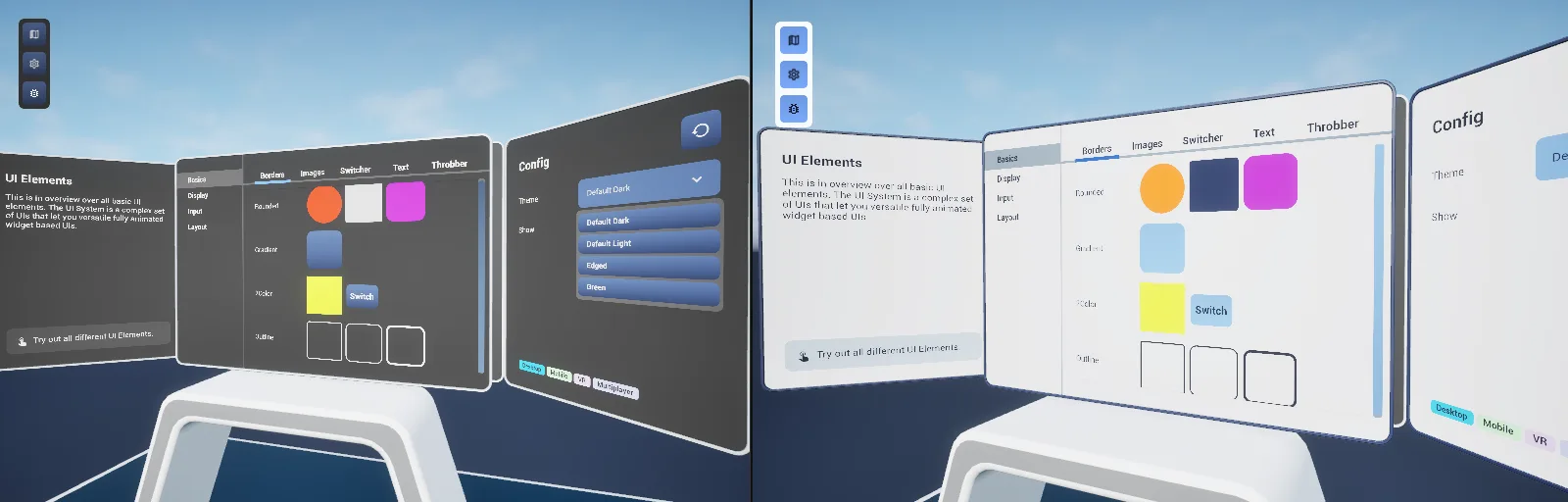
The UI system
AFS_UI is a design system rather than a widget grab-bag.
Theme. BP_PDA_Theme is a data asset holding fonts, corner radii, outline widths and six colour
ramps keyed by an intensity enum. BPC_GameState_ThemeManager holds the available themes and fires
OnThemeUpdated when the active one changes, so a live theme swap propagates without rebuilding
widgets.
Lifecycle. Every widget implements BPI_WidgetElement, whose functions separate concerns
deliberately:
WidgetElement_InitialConstruct— editor only, for design-time construction.WidgetElement_Initiate— runs once, for content.WidgetElement_UpdateTheme— runs at start and on every theme change, for styling only.WidgetElement_ExecuteReplication— runs at start and whenever replicated content changes.WidgetElement_RefreshStyling— re-applies styling on demand.
Keeping theme code out of the content path is what makes runtime theme switching cheap.
Layers. Primitives (AFBorder, AFImage, AFText, AFScrollbox, AFSwitcher, throbbers)
sit at the bottom. Composed controls (buttons, sliders, steppers, dropdowns, text fields, colour
picker, chip selector) build on those. Layout scaffolds, boxes and groups arrange them. Feature
plugins — menu, notifications, popups, labels, info panels — sit on top and each expose a one-call
Blueprint library so the surface a project actually touches stays small.
Spatial UI is split by anchor. AFS_UISpace_Pawn positions body-locked widgets using
PDA_PawnUIPosition data assets with element pooling; AFS_UISpace_Hand spawns a wrist panel that
appears when the palm turns toward the face within a configurable angle. AFS_UI_Menu ships the
same menu twice, WBP_Menu_VR and WBP_Menu_Desktop, over shared page data assets.