Home › Workflows › Add a pressable button
Add a pressable button
By the end of this you will have a physical button the player can press with a fingertip in VR and click on desktop.
Steps
- Create an actor with a mesh and a collision component. Tag the collision component, for example
Press. - Add a
BPC_Interaction_Overlapcomponent and set Component Tag Of Collision to that tag. - Set Allowed Identifiers to the fingertip ability identifier if only a fingertip should press it, or leave it empty to accept any.
- Bind to Overlap Started and Release.
- Add a
BPC_Interaction_Selectas well so the same button works on desktop.
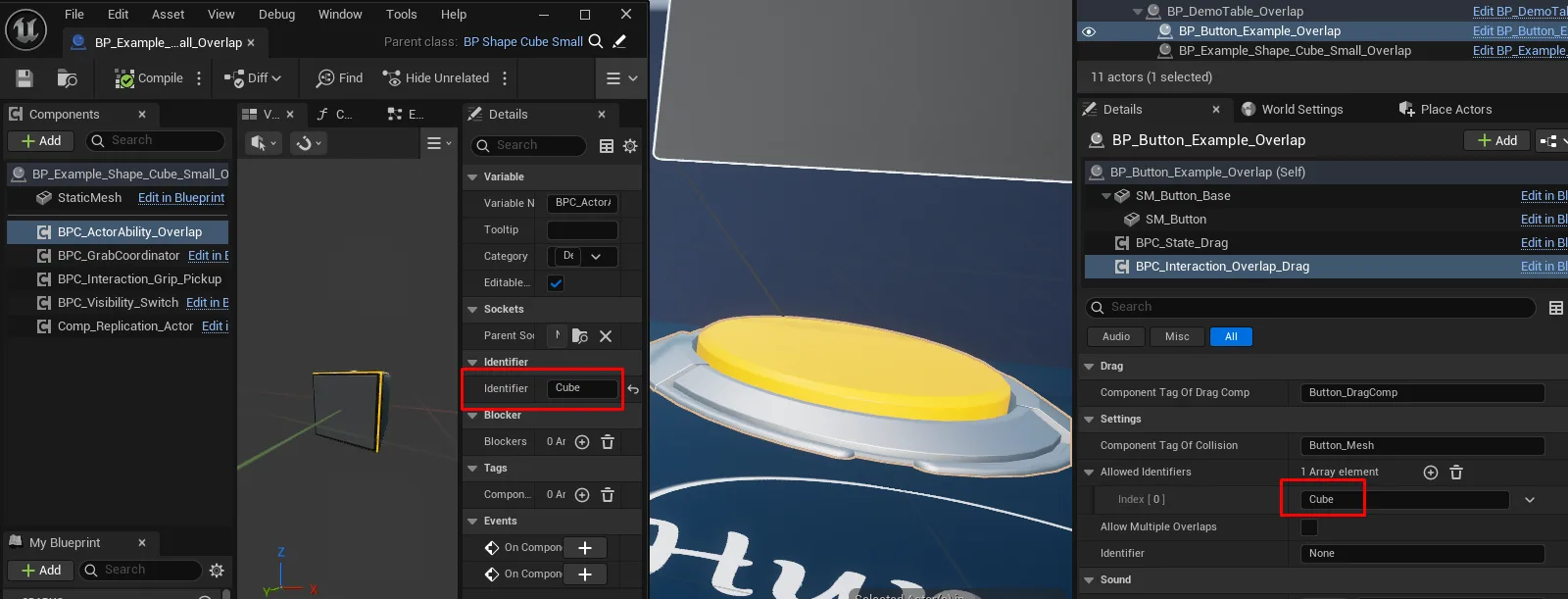
howto_pressable_01.pngCollision component tagged for overlap

AFS_UX_Overlap_result.pngA fingertip on a button, the button visibly depressed
Notes
For a button that physically depresses, use BPC_Interaction_Overlap_Drag with a BPC_State_Drag
component instead, and set Component Tag Of Drag Comp to point at it.