Home › Workflows › Create a new level
Create a new level
By the end of this you will have your own map with the correct pawn spawning on every platform.
Steps
- Create a
PDA_Leveldata asset. Name itDA_Level_<YourMap>. - Set Game Mode to your game mode, or
BP_GameMode_Showroomto start. - Assign Default Pawn Desktop, Default Pawn VR and Default Pawn Mobile. Leave Pawn Select on Dynamic.
- Set Persistant Map to your map. Add any streaming maps to Streaming Maps.
- If you use streaming maps, set Transition Class and Min Transition Time.
- Create your map and place a
BP_MapInfoactor in it. Set its Level Key to the data asset. - Place one or more
BP_PlayerPositionactors as spawn points. Mark one as Default Position.
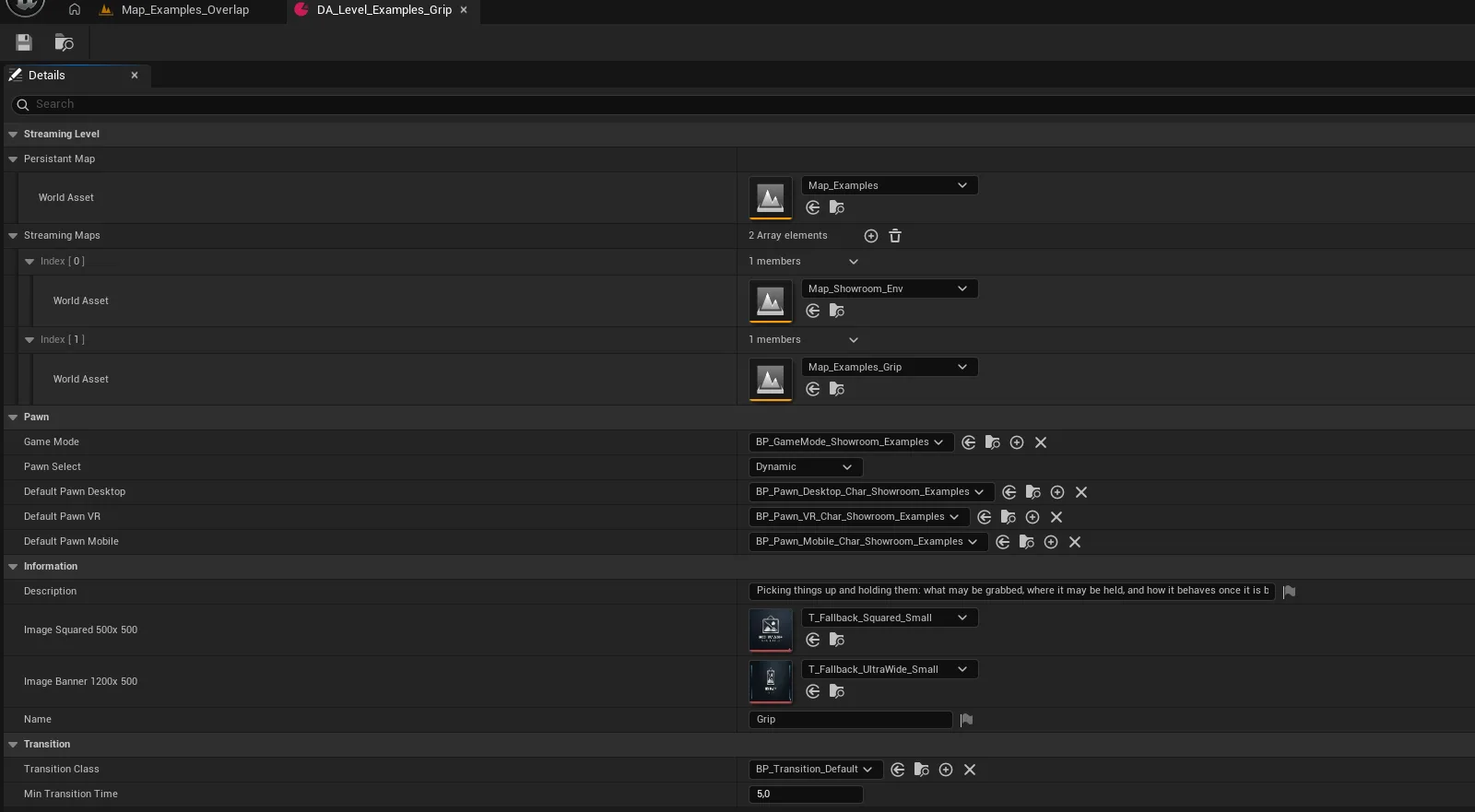
howto_newlevel_01.pngThe level data asset filled in
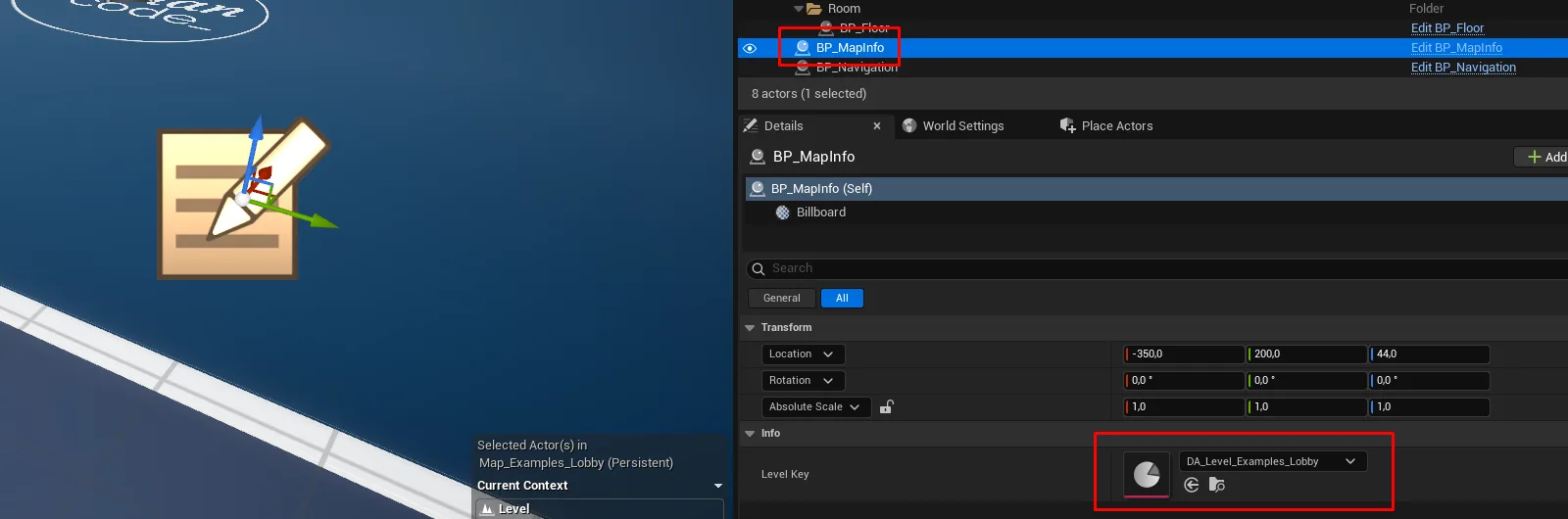
setup_mapinfo_placed.pngBP_MapInfo placed in the map
Notes
Switch to this level at runtime with ML_Loading.Loading_SwitchLevel, which handles the editor,
listen-server and client cases and fades the camera for you.
Tip
Set Pawn Select to Force Desktop while iterating in the editor so you are not launching VR preview on every test, then switch it back to Dynamic before shipping.