Home › Workflows › Add a menu page
Add a menu page
By the end of this you will have a new page in the main menu, working in both the VR and desktop menu variants.
Steps
- Create a widget deriving from
WBP_Basefor your page content. - Create a
PDA_WidgetPagedata asset. Set Widget to your widget class and fill in Button with the label and icon. - Open your pawn and find its
BPC_Pawn_Menucomponent. - Add an entry to Pages and reference your new page data asset.
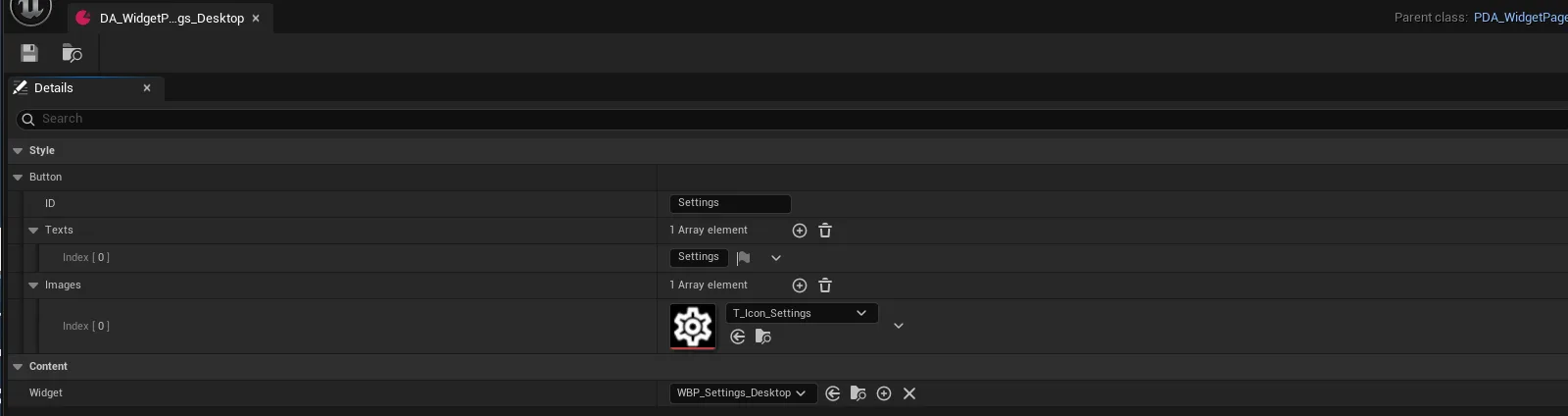
howto_menupage_01.pngThe page data asset
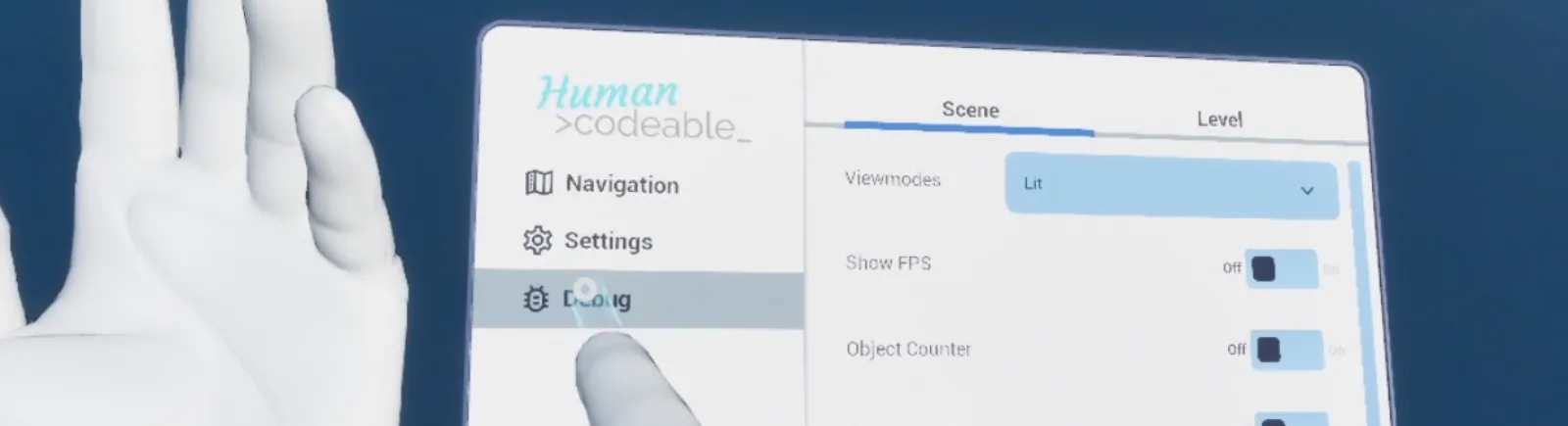
AFS_UI_Menu_vr.pngThe page in the VR menu
Notes
Because the page is referenced by data asset rather than by the menu widget, the same page appears
in WBP_Menu_VR and WBP_Menu_Desktop without further work.