Home › Workflows › Author a hand pose
Author a hand pose
By the end of this you will have a custom hand pose applied when the player grips a specific object.
Steps
- Open Hand Pose Studio from the editor toolbar.
- Select the hand skeletal mesh and load the object's static mesh as a reference.
- Pose the fingers in the viewport, using the skeleton tree to select bones.
- Place a socket named with the
Grip_prefix where the hand should attach. - Save. The tool writes an AnimSequence and a new StaticMesh with the socket.
- Use Mirror to Left to generate the opposite hand from the same pose.
- On the object's
BPC_Interaction_Grip, add the pose to Custom Hand Poses Left and Right, keyed by socket name.
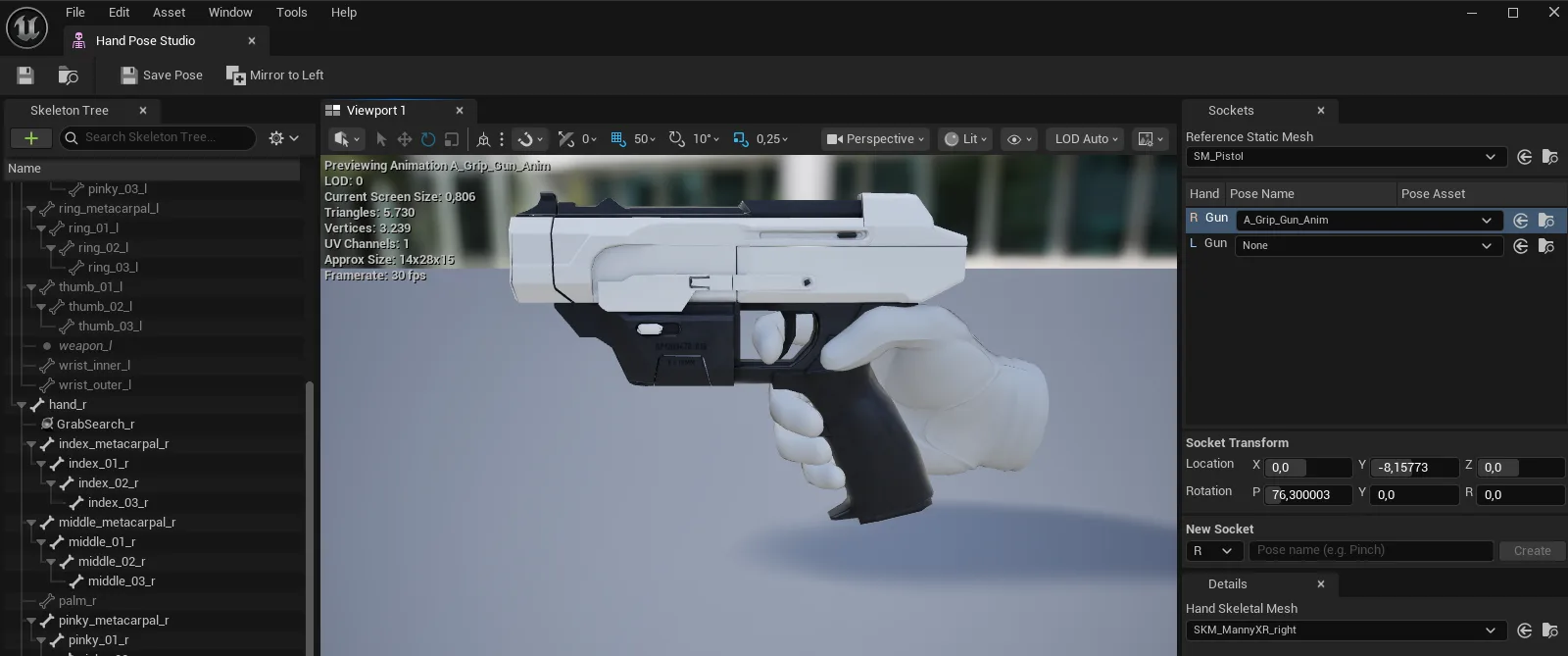
AFS_Core_Pawn_handposestudio.pngThe Hand Pose Studio editor
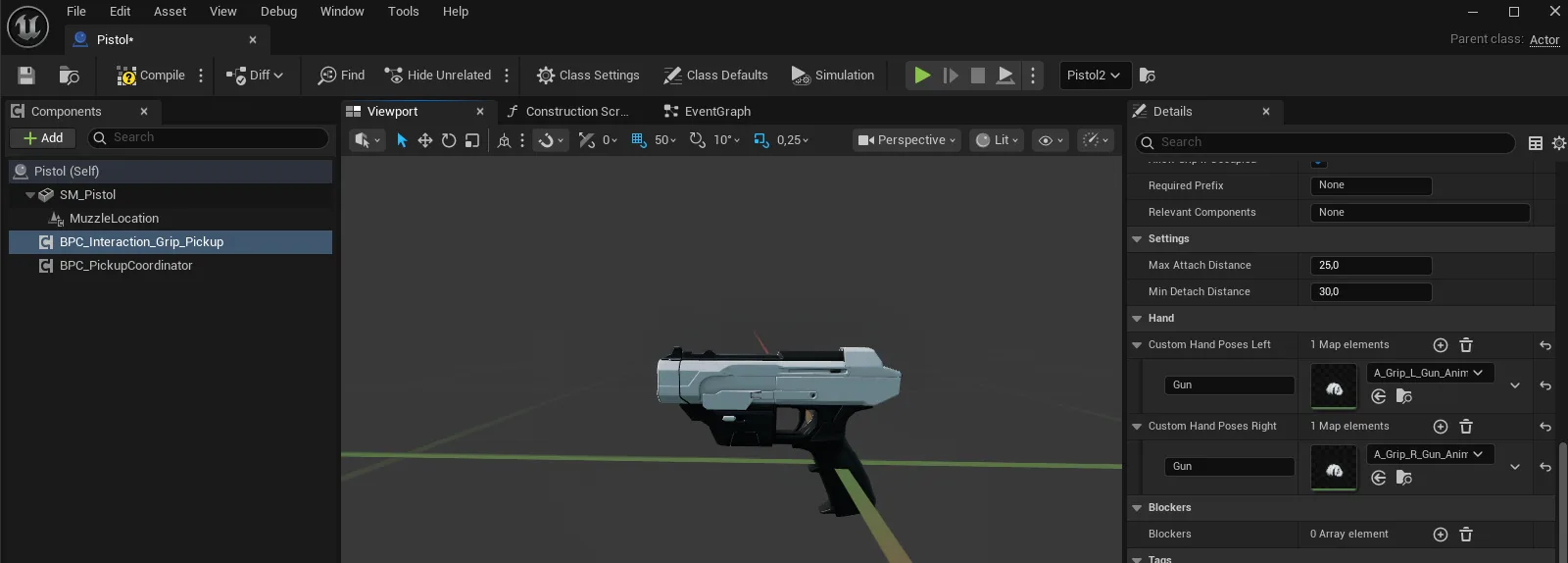
AFS_UX_Grip_handpose.pngThe custom pose applied to the held object
Notes
Tip
Author the right hand first and mirror. Posing both hands by hand is slower and the two rarely match exactly.