How to make UI follow the player in VR
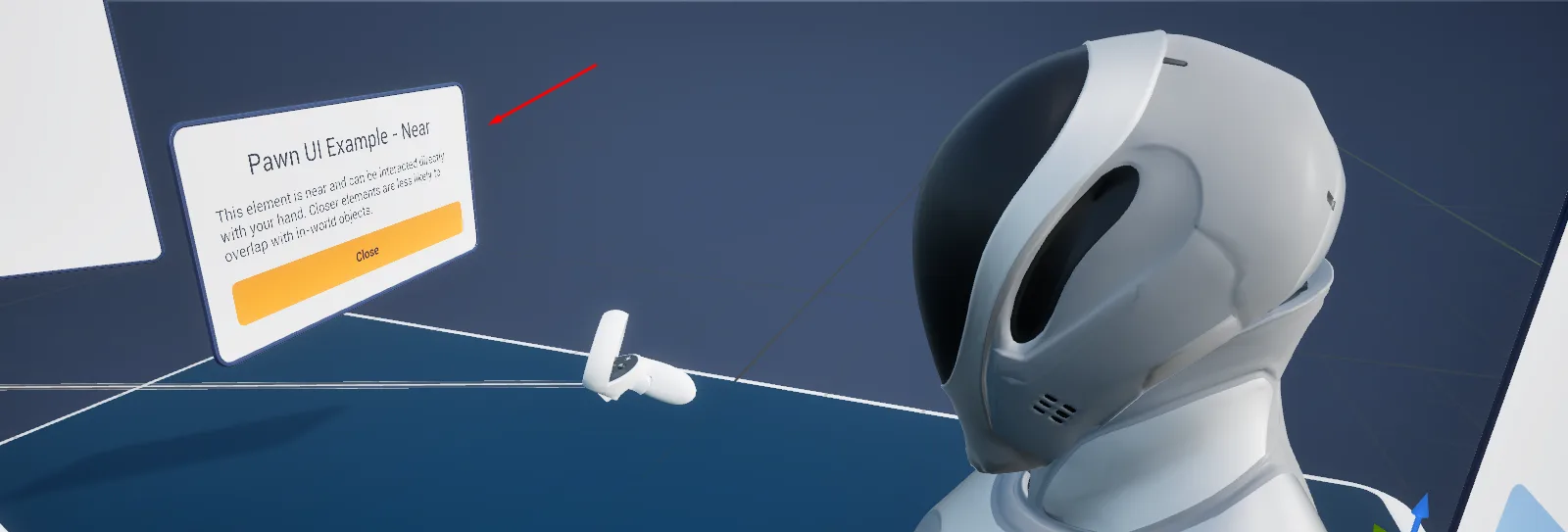
Advanced Framework Pro's pawn UI keeps a panel at a set distance in front of the player and re-centres it when they move or turn, instead of locking it to the head. One call, Pawn UI Add Element, places any widget there, and a PDA_PawnUIPosition data asset decides how near, how high and at what angle. By the end of this you will have a panel that follows the player in VR and sits on the HUD on desktop and mobile, opened and closed from your own Blueprint.
At a glance
Your pawn (shipped pawns have it)
└─ BPC_PawnAbility_PawnUI
Your panel widget          parent WBP_Base
Position                   DA_PawnUIPosition_Near (hand reach) | DA_PawnUIPosition_Far (laser)
                           or a copy: distance, pitch, height offset, re-centre thresholds
Open:   FL_PawnUI › Pawn UI Add Element (Pawn, Widget, Position, Pooling) → element
Close:  FL_PawnUI › Pawn UI Remove Element (element)
Desktop / mobile: the same call shows the widget on the HUD
Steps
- Confirm the pawn has
BPC_PawnAbility_PawnUI; the shipped pawns do. - Create a widget deriving from
WBP_Basewith the panel's content. - Pick a position data asset:
DA_PawnUIPosition_Nearfor a panel within hand reach,DA_PawnUIPosition_Farfor one worked with the laser. To change distance, pitch or height, duplicate one and edit the copy. - Call Pawn UI Add Element (
FL_PawnUI) with the pawn, your widget class and the position. Keep the returned element. - Call Pawn UI Remove Element with that element when the panel should go.
Notes
The same call works on every platform: in VR the widget floats on a pooled element actor, on desktop and mobile the ability hands it to the HUD, framed as the position asset says.
Panels do not chase the head. The position asset sets how far the player must move or turn before the UI follows, so a panel stays put while they read and catches up when they walk off.
Keep anything the player touches at the near position and anything they only read at the far one; elements out of arm's reach can only be pointed at.
Elements are pooled. Prefer showing and hiding a widget over adding and removing it repeatedly.
Map_Examples_UI_PawnUI is a safety checkpoint: stepping into the zone opens a checklist panel in front of
the player, and its Config lets you compare the positions.